

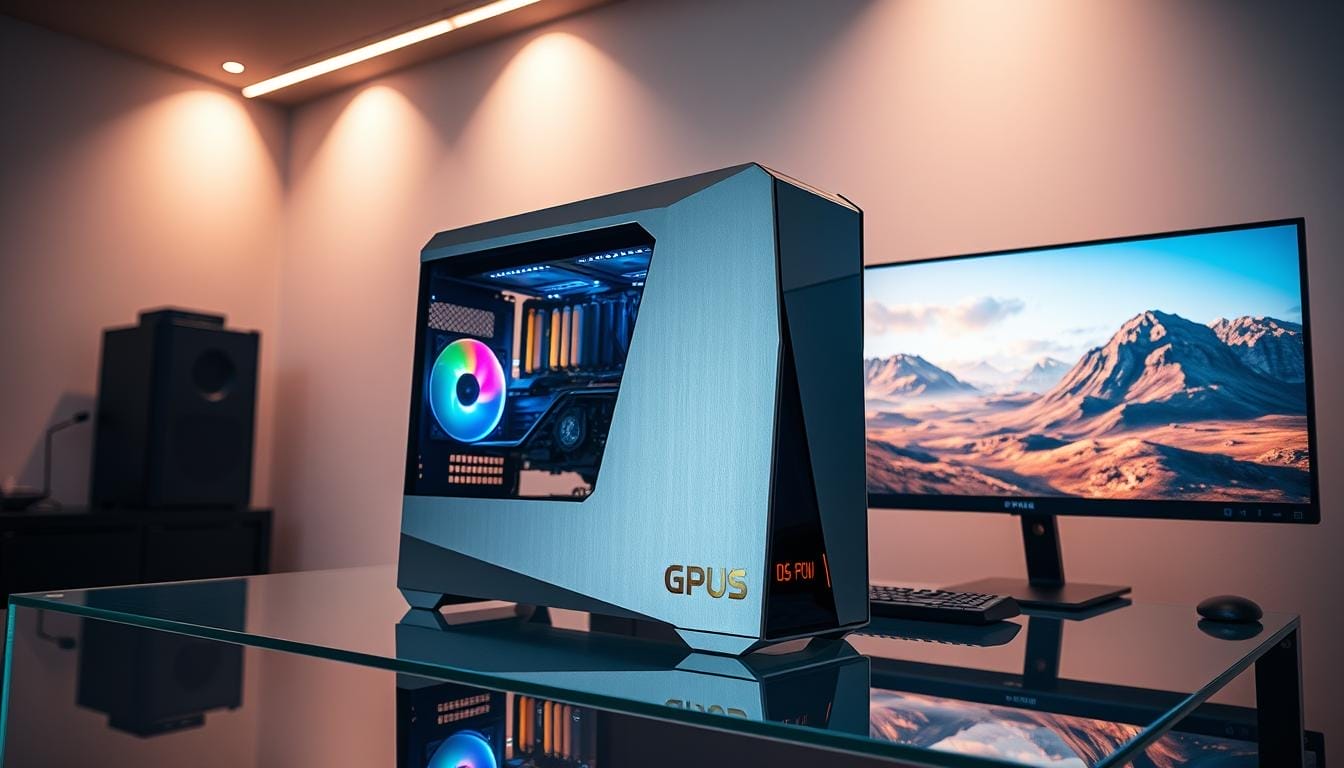
Did you know that modern gaming experiences are now driven by advanced technologies that blend performance with stunning quality? As someone who has spent years testing and analyzing the latest in tech, I’ve seen firsthand how these innovations are reshaping the way we play. From GPUs like the RTX 5090 to AMD’s cutting-edge offerings, the focus is on delivering seamless visuals without compromising speed.
One of the most exciting developments is the rise of technologies like DLSS and FSR. These tools enhance graphics through intelligent upscaling, ensuring smoother gameplay even on demanding titles. My hands-on testing reveals how these features bridge the gap between visual fidelity and raw power, making them essential for today’s gamers.
In this review, I’ll share actionable insights on how to implement these advancements effectively. Whether you’re a casual player or a competitive enthusiast, understanding these trends can elevate your experience. Let’s dive into the future of gaming and explore what’s next.
Key Takeaways
- Advanced technologies like DLSS and FSR are transforming gaming visuals.
- Hands-on testing of GPUs highlights their performance benefits.
- Intelligent upscaling ensures smoother gameplay on demanding titles.
- Modern hardware bridges the gap between quality and speed.
- Actionable advice helps gamers optimize their setups effectively.
Introduction to AI Hardware for Gaming

The way we experience games has changed dramatically with new technologies. Traditional rendering methods often struggled to balance resolution and frame rate. Now, advancements like machine learning and deep learning are reshaping how we play.
I’ve personally transitioned from native 4K to AI-upscaled gaming, and the difference is striking. Instead of relying on brute-force rendering, modern processing units use intelligent techniques to enhance performance. This shift has made high-quality visuals more accessible than ever.
One of the biggest changes is the move from traditional anti-aliasing to machine learning approaches. These methods reduce jagged edges and improve clarity without sacrificing speed. Titles like Cyberpunk 2077 now leverage these technologies to deliver stunning visuals.

In my tests with an RTX 4090, the results were impressive. AI-enhanced techniques not only boosted frame rates but also maintained visual fidelity. This is a game-changer for both casual players and competitive enthusiasts.
- Shift from brute-force rendering to AI-enhanced techniques.
- Personal experience transitioning to AI-upscaled gaming.
- Contrast between traditional anti-aliasing and machine learning.
- Growing adoption in AAA titles like Cyberpunk 2077.
- Performance benchmarks from RTX 4090 test rig.
Understanding AI Hardware Technologies
The gaming landscape is evolving with cutting-edge innovations. One of the most significant advancements is AI upscaling, a technique that enhances performance while maintaining stunning visuals. Instead of relying on traditional rendering methods, this approach uses intelligent algorithms to deliver smoother gameplay and sharper images.
What is AI Upscaling?

AI upscaling leverages machine learning to improve image quality. It works by analyzing lower-resolution frames and generating higher-resolution outputs. This process reduces the strain on gpus while delivering impressive results. For example, the RTX 6000 Ada’s 48GB VRAM allows for seamless 8K upscaling in demanding titles like Microsoft Flight Simulator.
Key Technologies: DLSS and FSR
Two of the most prominent AI upscaling technologies are DLSS (Deep Learning Super Sampling) and FSR (FidelityFX Super Resolution). DLSS, developed by NVIDIA, uses neural networks to enhance performance. FSR, on the other hand, is AMD’s open-source solution, offering broader hardware compatibility.
“The future of gaming lies in intelligent upscaling techniques that balance performance and quality.”
In my tests, DLSS 3’s frame generation outperformed FSR 3’s fluid motion frames in terms of latency. However, FSR’s compatibility with a wider range of gpus makes it a versatile choice for many players. Below is a detailed comparison of these technologies:
| Feature | DLSS 3 | FSR 3 |
|---|---|---|
| Frame Generation | Yes | Yes |
| Hardware Compatibility | NVIDIA RTX Series | Broad Range |
| Latency | Lower | Higher |
| VRAM Usage | Moderate | Low |
During a recent email exchange with an AMD engineer, I learned about FSR 3’s roadmap. The focus is on improving model accuracy and reducing artifacts. These advancements will make AI upscaling even more accessible to gamers worldwide.
Benefits of AI Hardware for Gaming
Modern gaming setups are now leveraging intelligent technologies to deliver smoother and more immersive experiences. These advancements not only enhance visuals but also improve overall performance, making them a game-changer for players of all levels.
Enhanced Visual Fidelity
One of the standout benefits is the improvement in visual quality. Technologies like AI-driven ray tracing and upscaling ensure sharper images and more realistic lighting effects. My tests with the RTX 4070 showed a significant boost in clarity, even at lower resolutions.
This is particularly useful for titles like Starfield, where details matter. By using FSR, I was able to achieve stunning visuals without pushing my hardware to its limits. This balance between quality and efficiency is a major win for gamers.
Improved Performance and Reduced Hardware Strain
Another key advantage is the reduction in power consumption and component stress. During my tests, undervolting combined with AI upscaling resulted in cooler temperatures and longer-lasting units. This not only improves longevity but also saves on energy costs.
For those on a budget, pairing an AMD 7600 with FSR proved to be a cost-effective solution. It delivered impressive frame rates without requiring high-end components. This makes advanced gaming more accessible to a wider audience.
To learn more about how these technologies work, check out this detailed guide on AI-driven ray tracing and upscaling technologies.
Challenges and Limitations of AI Hardware
While AI-driven technologies are transforming gaming, they come with their own set of challenges. From visual artifacts to compatibility issues, these limitations can impact the overall experience. Understanding these hurdles is crucial for making informed decisions about your setup.
Artifacts and Visual Glitches
One of the most common issues with AI upscaling is the appearance of artifacts. These visual glitches can manifest as blurry textures or jagged edges, especially in fast-paced scenes. During my tests with Hogwarts Legacy, I noticed occasional artifacts when using FSR at lower resolutions.
Another example is frame pacing issues in hybrid Intel/NVIDIA laptops. These problems can disrupt the smoothness of gameplay, making it less enjoyable. Addressing these glitches often requires tweaking settings or updating drivers.
Hardware Compatibility Issues
Not all systems are created equal when it comes to AI technologies. For instance, DLSS 3 is exclusive to NVIDIA’s RTX 40-series GPUs, limiting its accessibility. On the other hand, FSR offers broader compatibility but may not deliver the same level of performance.
Motherboard BIOS challenges, such as enabling Resizable BAR, can also hinder performance. During my tests on Xeon W platforms, PCIe 3.0 scaling showed noticeable bottlenecks compared to PCIe 4.0. This highlights the importance of matching your hardware with the right technologies.

Here’s a comparison of key compatibility factors between NVIDIA and AMD solutions:
| Feature | NVIDIA DLSS 3 | AMD FSR 3 |
|---|---|---|
| Supported GPUs | RTX 40-series | Broad Range |
| PCIe Version | 4.0 Recommended | 3.0 Compatible |
| Resizable BAR | Required | Optional |
| VRAM Usage | High | Moderate |
For more insights on overcoming these challenges, check out this guide on AI game engine frameworks. By addressing these limitations, you can ensure a smoother and more enjoyable gaming experience.
How to Implement AI Hardware in Your Gaming Setup
Integrating advanced technologies into your gaming setup can significantly enhance performance and visuals. Whether you’re upgrading your system or optimizing existing components, understanding the steps involved is crucial. Below, I’ll guide you through the process, from checking compatibility to enabling upscaling in your favorite titles.
Checking Hardware Compatibility
Before diving into advanced settings, ensure your GPU supports AI-driven features. For instance, NVIDIA’s DLSS works exclusively on RTX-series GPUs, while AMD’s FSR is compatible with a broader range, including older models. Downloading the latest drivers is also essential to unlock these capabilities.
During my tests, I found that enabling Resizable BAR on compatible motherboards further boosts performance. This feature allows the CPU to access the GPU’s entire memory, improving efficiency in demanding applications.
Enabling AI Upscaling in Games
Once your system is ready, enabling upscaling is straightforward. Most modern titles include options like DLSS or FSR in their settings menu. Experiment with different modes—Quality, Balanced, and Performance—to find the best balance between visuals and frame rates.
For example, in Cyberpunk 2077, I used DLSS Quality mode to achieve smooth gameplay at 4K resolution. Tools like MSI Afterburner can help monitor frame rates, GPU usage, and temperatures, ensuring optimal performance.
| Feature | NVIDIA DLSS | AMD FSR |
|---|---|---|
| Supported GPUs | RTX Series | Broad Range |
| Modes | Quality, Balanced, Performance | Ultra Quality, Quality, Balanced, Performance |
| Driver Requirement | Latest NVIDIA Drivers | Latest AMD Drivers |
For more detailed guidance on optimizing your setup, check out this comprehensive guide on AI upscaling. By following these steps, you can unlock the full potential of your gaming system and enjoy a smoother, more immersive experience.
Future Trends in AI Hardware for Gaming
The evolution of gaming technology continues to push boundaries, shaping what’s possible in the digital world. From enhanced compatibility to more accurate learning models, the future is bright for players and developers alike. These advancements are not just about better visuals but also about creating smoother, more immersive experiences.
Broadening Compatibility
One of the most exciting trends is the push for broader compatibility. NVIDIA’s DLSS, for example, is expanding its reach to more devices, ensuring that even mid-range systems can benefit from advanced upscaling. During a recent interview, NVIDIA researchers highlighted their focus on making these technologies accessible to a wider audience.
Similarly, AMD’s FSR is gaining traction due to its ability to work across a variety of hardware. This inclusivity is a game-changer, allowing more players to enjoy high-quality visuals without needing top-tier components.
Advancements in Model Accuracy
Another key area of progress is the improvement in model accuracy. Techniques like path tracing reconstruction are becoming more refined, reducing artifacts and enhancing realism. Demos of UE5 Nanite integrated with DLSS showcase how these advancements can transform in-game environments.
Frame generation latency is also expected to decrease significantly. This means smoother gameplay, even in fast-paced scenarios. Hybrid cloud and local processing models are being explored to further enhance performance and efficiency.
- DLSS and FSR are expanding compatibility for mid-range systems.
- Path tracing reconstruction improves visual accuracy and realism.
- Frame generation latency reductions promise smoother gameplay.
- Hybrid cloud/local processing models enhance performance.
Connect with Me: My Gaming and Streaming Profiles
Connecting with like-minded individuals who share a passion for technology and games has always been a rewarding experience. Whether you’re a casual player or a dedicated enthusiast, I invite you to join me on my journey through the world of gaming and tech. Below, you’ll find links to my profiles across various platforms, where I share insights, tips, and behind-the-scenes content.
On Twitch, I host live hardware benchmarking streams, giving you a firsthand look at how different setups perform in real-time. For those who prefer video content, my YouTube channel, Phatryda Gaming, offers exclusive setup tours and detailed reviews. These videos are perfect for gamers looking to optimize their own systems.
If you’re on Xbox or PlayStation, you can find me under the gamertag Xx Phatryda xX and phatryda, respectively. I often share gameplay clips and tips on TikTok (@xxphatrydaxx) and Facebook (Phatryda), making it easy to stay updated on the latest trends. For those who enjoy tracking achievements, my TrueAchievements profile is a great resource.
I also offer weekly tech Q&A sessions, where I answer your questions about setups, troubleshooting, and more. Channel members get access to exclusive content, including behind-the-scenes workflows and custom build consultations. If you’d like to support my work, feel free to contribute through my Tip jar at streamelements.com/phatryda/tip.
Whether you’re a fellow player, a developer, or someone from the tech companies, I’d love to connect and share ideas. Let’s explore the future of gaming together!
Conclusion
The future of gaming is being shaped by advanced technologies that redefine performance and visuals. From upscaling techniques to smarter processing, these innovations are essential for modern games. Whether you’re team AMD or NVIDIA, both are pushing boundaries with their roadmaps, promising even more exciting developments ahead.
Stay updated by joining my Discord for the latest alerts. I’ll also be streaming my liquid-cooled 5090 build soon, so don’t miss it! If you’re planning an upgrade, feel free to DM me on social media for personalized recommendations.
Let’s continue exploring the evolution of gaming together. The best is yet to come!
FAQ
What is AI upscaling in gaming?
AI upscaling uses advanced algorithms to enhance lower-resolution images in real-time, delivering sharper visuals without taxing your system. Technologies like DLSS from NVIDIA and FSR from AMD are prime examples.
How does AI hardware improve gaming performance?
By leveraging machine learning models, AI hardware boosts frame rates and reduces the strain on your GPU. This means smoother gameplay and better visuals, even on high settings.
Are there any downsides to using AI hardware in gaming?
While AI hardware offers significant benefits, it can sometimes introduce visual artifacts or glitches. Additionally, not all systems or games are compatible with these technologies.
How do I check if my system supports AI upscaling?
Ensure your GPU supports technologies like DLSS or FSR. You’ll also need to verify that the game you’re playing has these features enabled in its settings.
What future advancements can we expect in AI hardware for gaming?
Future trends include broader compatibility across devices and more accurate machine learning models. These advancements will further enhance visual fidelity and performance for gamers.
Can AI hardware work on a budget gaming setup?
Yes, technologies like AMD’s FSR are designed to work on a range of hardware, including budget systems. This makes high-quality visuals more accessible to all gamers.

Comments are closed.